


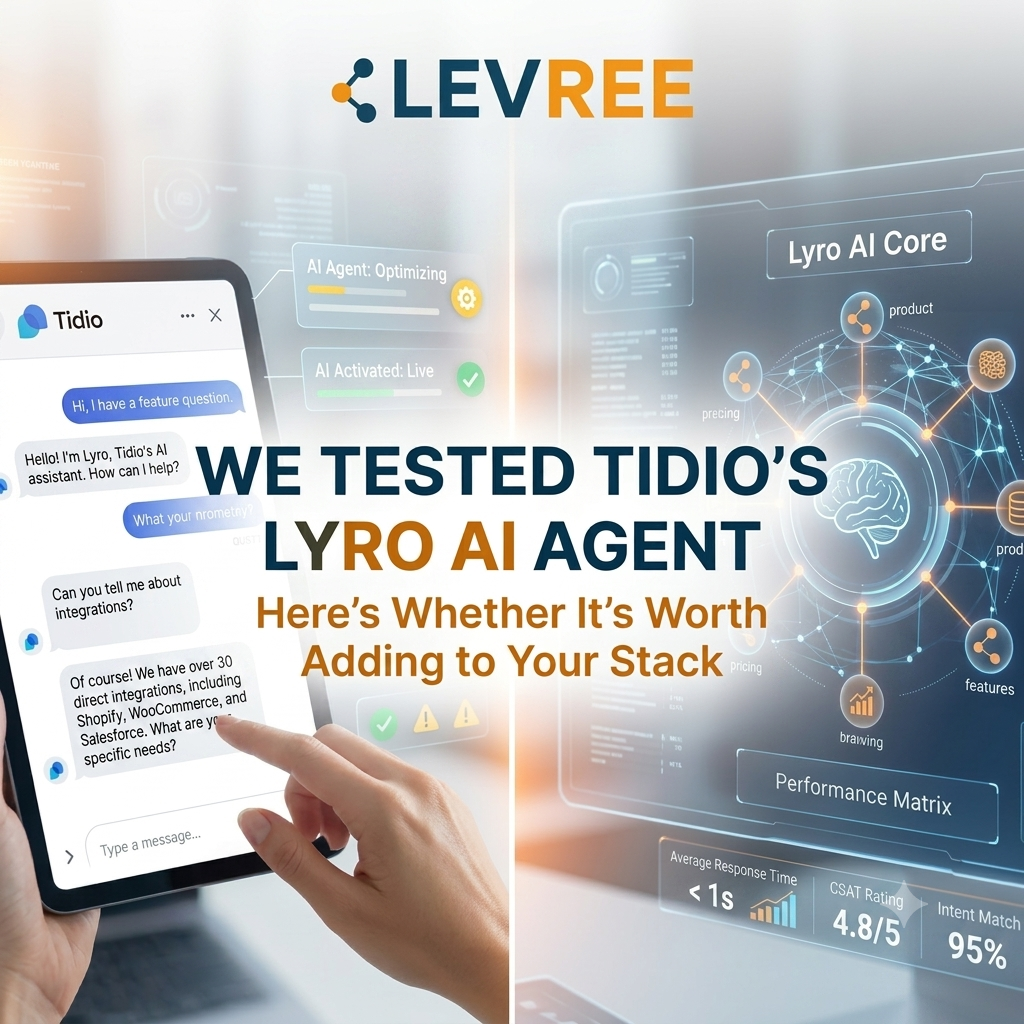
We tested Tidio’s Lyro AI Agent for 30 days. Discover its features, 67% resolution claim, pricing, pros, cons, alternatives, and whether it’s worth it in 2026.
We Tested Tidio's Lyro AI Agent for 30 Days — Here's the Full Breakdown
At Levree, we run Meta Ads, funnels, and lifecycle content for clients across e-commerce, education, and local services. One problem shows up on almost every account: paid traffic brings in leads fast, but the follow-up questions that decide whether someone actually buys — pricing, stock, delivery timelines, return policy — pile up faster than a small support team can answer them. Every hour a question sits unanswered is an hour of ad spend quietly leaking away.
That's the exact gap AI customer service tools are trying to close, so we spent real time inside Tidio and its AI agent, Lyro, to see whether it holds up. This is the long version: what the platform actually does, how Lyro performs against its headline 67% resolution rate, what it costs today, how it compares to the alternatives, and who should (and shouldn't) bother.
What Tidio Actually Is
Tidio isn't just a chat widget — it's a customer service platform built around four connected pieces:
- Live Chat — real-time messaging with website visitors, plus a live visitor list, typing previews, and canned responses (macros).
- Help Desk — turns live chat, email, and social messages into tickets your team can assign, tag, and track in one inbox.
- Flows — a no-code, drag-and-drop builder for rule-based automations: proactive discount pop-ups, cart-abandonment nudges, lead-qualification sequences, and FAQ deflection, all triggered by visitor behavior.
- Lyro — the AI agent layer sitting on top of all of it, which is the part most businesses are actually here for in 2026.
The platform connects to Messenger, Instagram, WhatsApp, and email out of the box, plus 20+ third-party integrations including Shopify, WooCommerce, Zendesk, and Salesforce. It's positioned squarely at small and mid-sized e-commerce and service businesses — Tidio reports over 300,000 businesses using the platform, with brands like Under Armour, The Body Shop, and Dermalogica cited among its customers.
Lyro, Deep Dive: How It Works and What "67%" Actually Means
Lyro is Tidio's conversational AI agent, and it works differently from the rule-based chatbots most people picture when they hear "website bot."
How you set it up
Getting Lyro live follows three steps:
- Feed it your content. Lyro scrapes your existing help center, FAQ pages, and website copy automatically — there's no manual scripting of conversation trees. You can also manually upload documents or paste in Q&A pairs.
- It answers using only that content. Lyro doesn't invent policy or make up product details. If a customer's question isn't covered by what you've given it, Lyro escalates to a human agent instead of guessing — and logs the gap so you can fill it in.
- You monitor and refine it. A dedicated analytics view shows resolution rate, answer accuracy by topic, and every question Lyro couldn't confidently answer, so you can keep expanding its knowledge base over time.
The 67% resolution rate, unpacked
Tidio's headline claim is that Lyro resolves up to 67% of customer conversations on average, and Tidio defines a "resolution" as a conversation the customer didn't need to follow up on within 15 minutes — sometimes called a deflection metric. A few things worth knowing before you plan around that number:
- It's a ceiling, not a floor. 67% is what well-configured accounts with a mature knowledge base tend to reach. Independent reviewers who've tested the platform put realistic first-month performance for most small businesses closer to 40–60%, climbing as you curate the knowledge base and clear out Lyro's unanswered-question queue.
- Tidio backs part of that claim contractually. On the Premium plan specifically, Tidio guarantees a minimum 50% Lyro resolution rate, with remediation if the account falls short — a commitment that's genuinely uncommon among AI chatbot vendors.
- It's built on Claude, not GPT. Tidio has said it deliberately chose Anthropic's Claude models to power Lyro, citing lower hallucination rates as the reason. In practice, this shows up as Lyro being conservative — it hands a question to a human rather than guessing when your content doesn't clearly cover it.
- Resolution rate is a maintenance loop, not a set-and-forget switch. The businesses getting the most out of Lyro treat it like a new hire: they review its analytics weekly, fix the gaps it surfaces, and re-test.
What Lyro can do beyond answering FAQs
A few features worth knowing about if you're evaluating this seriously rather than just kicking the tires:
- Lyro Smart Actions — lets Lyro perform tasks, not just answer questions: pulling a live order status, updating a shipping address, or qualifying a lead, rather than only pointing the customer to information.
- Product Recommendations — Lyro can suggest specific products from your catalog directly inside the chat based on what a shopper is asking about, aimed at lifting average order value.
- Lyro Guidance — lets you shape tone, style, and escalation rules so responses match your brand voice instead of sounding like a generic bot.
- Human handoff rules — you can configure Lyro to transfer to a live agent, keep the AI conversation going, or open a support ticket, with separate behavior for when your team is online versus offline.
What businesses using Lyro have reported
Tidio publishes a number of customer case studies. A few of the more specific figures: apparel brand Suitor reported a large cut in average response time after adopting Lyro; skincare brand Your KAYA said it used Lyro to handle simple, repetitive FAQs so its support consultants could focus on more personalized cases; and fintech company Borrowell reported strong answer and resolution rates that let it scale support without growing headcount. As with any vendor-published case study, treat these as best-case examples rather than a guaranteed outcome for your account.
Current Tidio Pricing (as of August 2026)
Tidio prices around three usage dials: billable human conversations (any live chat, ticket, or social message a human agent replies to), Lyro AI conversations, and visitors reached through Flows. Here's where the plans currently sit:
| Plan | Starting Price | Best for | What's included |
|---|---|---|---|
| Free | $0/mo | Testing the waters | Live chat & ticketing, 50 Lyro conversations (one-time, not renewing), 100 Flows visitors/mo, basic analytics |
| Starter | $24.17/mo | Solo operators, small stores | 100 billable conversations, live visitors list, operating hours, basic analytics |
| Growth (most popular) | From $49.17/mo | Small teams scaling support | 250+ billable conversations, advanced analytics, automatic chat assignment, macros, user permissions, live typing preview |
| Plus | From $300/mo + usage | Growing teams needing structure | Custom conversation volume, dedicated Success Manager, discounted usage rates, custom branding, departments, OpenAPI, wire transfer billing |
| Premium | Contact for pricing | High-volume, AI-first support ops | From 3,000 Lyro conversations/mo, guaranteed 50% Lyro resolution rate, pay-per-resolution billing, Lyro Connect (integrate with Zendesk/Salesforce/etc.), mobile SDK, SSO, custom analytics |
Lyro as a standalone add-on: if you don't want the full Tidio platform, Lyro can be bought on its own and layered onto an existing help desk (Zendesk, Salesforce, or others via Lyro Connect). It starts at $32.50/mo billed annually (or $39/mo month-to-month) for 50 AI conversations, and scales up from there — Tidio also lists per-conversation pricing starting around $0.50 for higher-volume Lyro Connect usage on Plus and Premium.
A few line items worth budgeting for:
- Branding removal is a $16.67–20/mo add-on on the Growth plan; it's included free on Plus and Premium.
- Every account's first 50 Lyro conversations are free for the life of the account, which is genuinely useful — you can test real resolution quality on your own content before spending anything.
- A 7-day free trial gives full access to whichever paid tier you pick, no card required to start.
[Screenshot: Tidio's pricing calculator, showing plan cost adjusting live as you slide conversation volume]
How Tidio Compares to Alternatives
Tidio isn't the only player here, and it's worth knowing where it sits. Tidio itself publishes head-to-head comparisons against Intercom, Zendesk, Gorgias, Drift, LiveChat, Manychat, Chatfuel, and Tawk.to — worth reading directly if you're actively deciding between platforms, since a vendor's own comparison page is naturally going to favor itself.
Broadly, from what we saw testing the product ourselves and cross-checking third-party reviews:
- Vs. Intercom/Zendesk — Tidio is meaningfully cheaper at the entry and mid tiers, and faster to set up without a dedicated admin. Intercom and Zendesk pull ahead on enterprise-grade compliance and deep customization once you're a larger org.
- Vs. Gorgias — Gorgias leans harder into Shopify-native e-commerce workflows; Tidio is more general-purpose but has closed much of that gap with native Shopify actions on Flows plans.
- Vs. Drift — Drift is more sales/pipeline-focused (B2B lead routing); Tidio is more support-and-conversion focused for e-commerce and SMB services.
- Vs. free/simple tools like Tawk.to — Tawk.to is free and fine for basic live chat, but it doesn't have anything comparable to Lyro's AI resolution layer.
If AI resolution rate and price are your top two criteria, Tidio is one of the more transparent options in the category — it publishes its methodology and, at the Premium tier, actually backs the number contractually.
Getting Started: What Setup Actually Looks Like
If you're weighing whether this is worth the time investment, here's the realistic version of onboarding:
- Install the widget. A JavaScript snippet, a Shopify/WordPress/WooCommerce app install, or a Google Tag Manager tag — all took under 15 minutes in our test.
- Connect your channels. Link Messenger, Instagram, WhatsApp, and email if you want Lyro and your human team working across all of them from one inbox.
- Let Lyro scrape your content, then review it. This is the step that actually determines your resolution rate — don't skip reviewing what it pulled in. Add anything it missed manually.
- Test in the Playground before going live, using Tidio's built-in AI Playground to run sample customer questions against your configured Lyro agent.
- Set your handoff rules. Decide what happens when Lyro can't answer — transfer to a human, open a ticket, or keep trying — and set separate rules for business hours vs. after hours.
- Go live on a low-traffic page first, then watch the analytics for a week before rolling it out site-wide.
Who Should Use This — and Who Should Skip It
Good fit:
- E-commerce stores fielding repetitive questions about shipping, returns, sizing, and order status
- Service businesses (agencies, clinics, schools) that get the same handful of questions from every prospect
- Teams running paid traffic where response speed in the first few minutes materially affects conversion
- Anyone who wants to test AI resolution quality cheaply before committing (the free 50-conversation allowance makes this low-risk)
Probably not a fit:
- Businesses with very low support volume, where a human-only setup with a simple FAQ page is enough
- Products requiring genuinely complex, judgment-heavy answers Lyro's knowledge-base model can't approximate
- Teams that want zero ongoing maintenance — Lyro's accuracy depends on someone periodically reviewing its unanswered-question log
Frequently Asked Questions
Is Lyro actually powered by ChatGPT?
No — Tidio has stated it uses Claude (Anthropic) plus in-house models, specifically citing lower hallucination risk as the reason for that choice.
Is there a genuinely free plan, or is it a trial?
Tidio has a real Free plan (not just a trial) that includes live chat, ticketing, and a one-time allotment of 50 Lyro conversations. Paid Lyro usage is required to keep that AI quota refreshing monthly.
Can I use Lyro without switching my whole helpdesk to Tidio?
Yes, via Lyro Connect — it integrates into Zendesk, Salesforce, and other existing helpdesks on the Plus and Premium plans, so you're not forced to migrate.
Does the 67% figure apply to every business?
No — it's Tidio's stated average/ceiling. Actual resolution rate depends heavily on how much of your support volume is genuinely repetitive and how well-curated your knowledge base is.
Our Take
Tidio's Lyro is one of the more transparent AI agents in this category: it publishes its resolution methodology, backs it with a contractual guarantee at the Premium tier, and lets you test on real customer questions before spending a cent. The 67% figure is a best-case average rather than a promise — but even landing in the more realistic 40–60% range in your first month is a meaningful chunk of support volume off your team's plate, and it compounds as you refine the knowledge base.
For the client accounts we manage paid social on, the real value isn't the chat widget by itself — it's closing the gap between "someone clicks an ad with a question" and "someone gets an answer," which is exactly where warm leads go cold. If you're evaluating AI customer service tools for a growing storefront or service business, Tidio is worth putting on your shortlist, and the free tier makes it low-risk to find out for yourself.


Leave a comment
Your email address will not be published. Required fields are marked *